

Pages, Chapters, Scenes or Percent: Counting Your Project
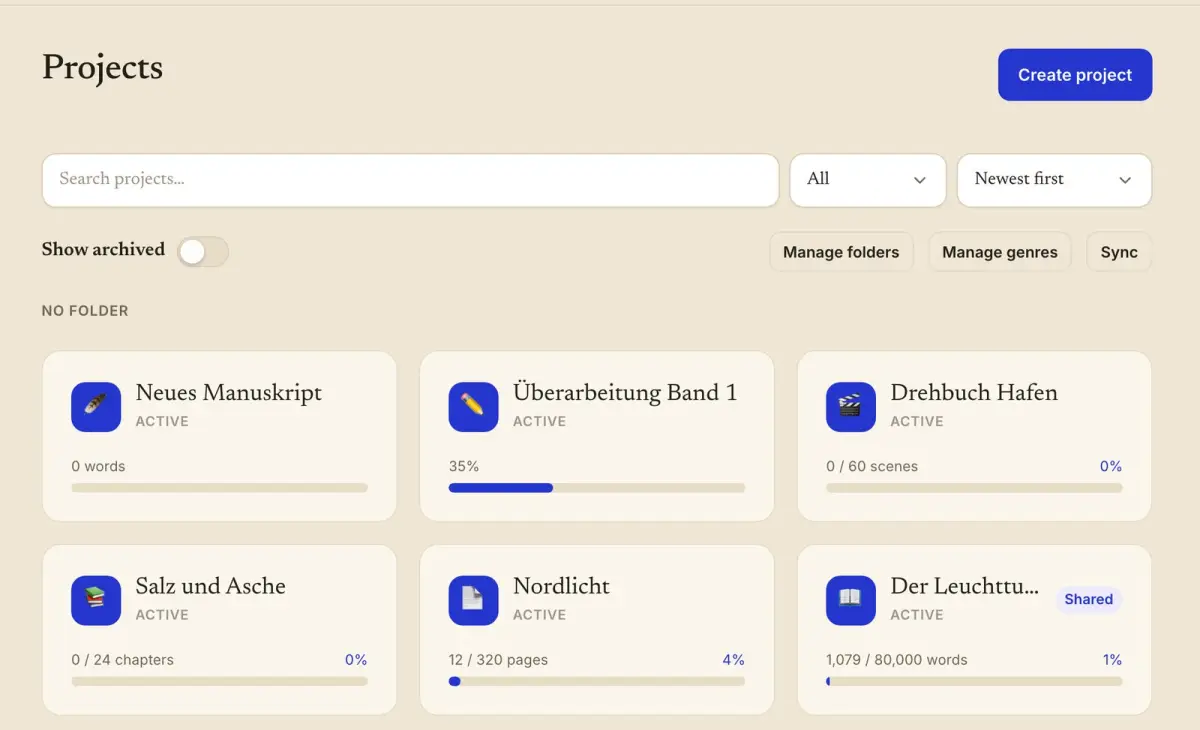
A revision has no word count worth tracking. On a good day of editing the manuscript gets shorter. In WriteZone 4.0.0 a project like that can count in percent, and a screenplay can count in pages or scenes. The unit is chosen when the project is created, and from then on goals, entries and progress all use it.
The version adds two related things. The app counts a text you paste or share from another program, and a recorded writing session now carries an activity.
The units and where to choose them
The counting mode is on the first page of the form when you create a project, and on the web the setup assistant for the first project asks for it too. The choices are words, characters with spaces, characters without spaces, pages, chapters, scenes and percent.
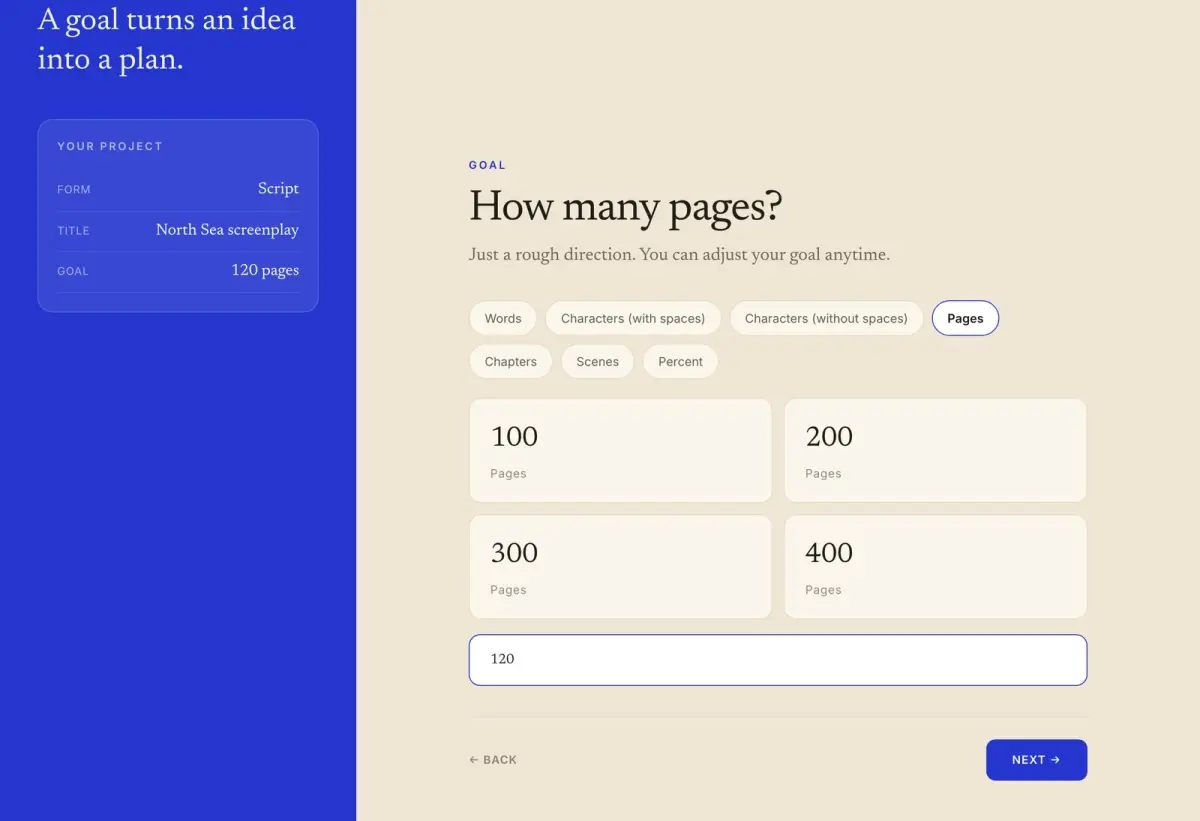
The question, the suggestions and the summary all follow the unit. With pages selected, the assistant suggests page counts and works out the pace in pages. A percent project has a fixed goal of 100, so there is no total to enter.
Why pages are their own unit
Screenwriters count pages because a page is supposed to stand for a minute of film. Stephen Follows tested that rule against 2,520 feature screenplays in US Letter format and published the result on 30 March 2026 (Stephen Follows). “Across all scripts, the average ratio is 1.1”, he writes, which puts one page at about 55 seconds, and only 18.2 per cent of scripts fell between 0.95 and 1.05 pages per minute. A smaller set of 351 scripts on A4 paper came out at 1.02.
Competitions set their limits in pages too. The Nicholl Fellowships for 2026-2027 ask for a feature screenplay in “standard industry format (12 point Courier)” that is “no shorter than 80 pages and no longer than 125 pages” (Nicholl rules).
What a project in pages looks like
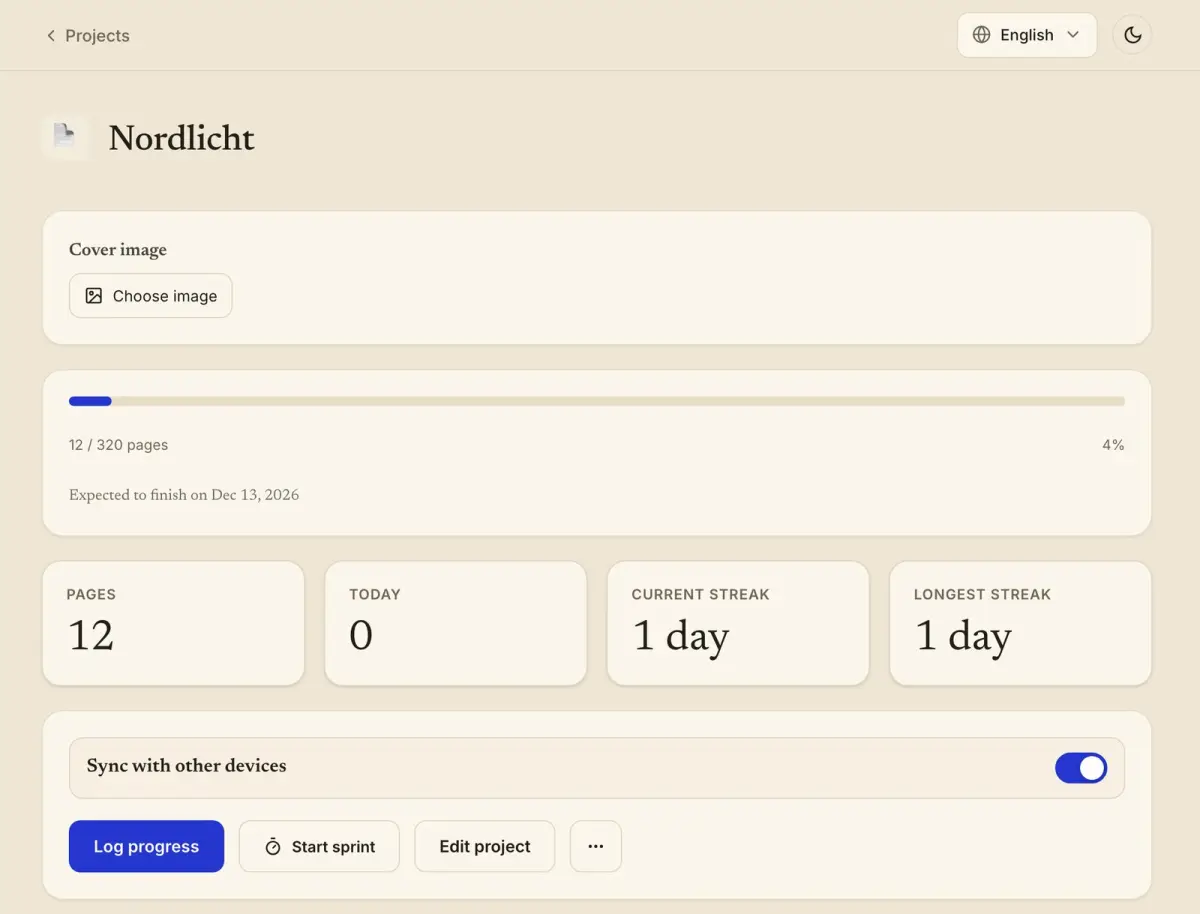
The test project in the screenshot is called “Nordlicht” and has a goal of 320 pages. The button reads “Log progress”, the first tile is labelled “Pages” where a word project says “Words”, and the daily goal is in the same unit. In a percent project you enter the new level and the app shows the difference from the last one.
In the project list, projects in different units sit side by side, each with its own progress bar.
Streaks and word statistics
An entry in pages, chapters, scenes or percent keeps the writing streak. After 12 pages were logged in “Nordlicht”, the tiles “Current streak” and “Longest streak” both read “1 day”. Projects in these four units are left out of the word statistics.
Which unit suits which stage of a project is covered in Words, hours or pages. If you plan to count in chapters and want to know how long a chapter tends to be, see chapter length.
Paste text and count
Some programs do not show a word count. For that case the entry form has the button “Paste text and count”. You paste the text, the app counts words, characters with spaces and characters without spaces, and the number goes into the entry.
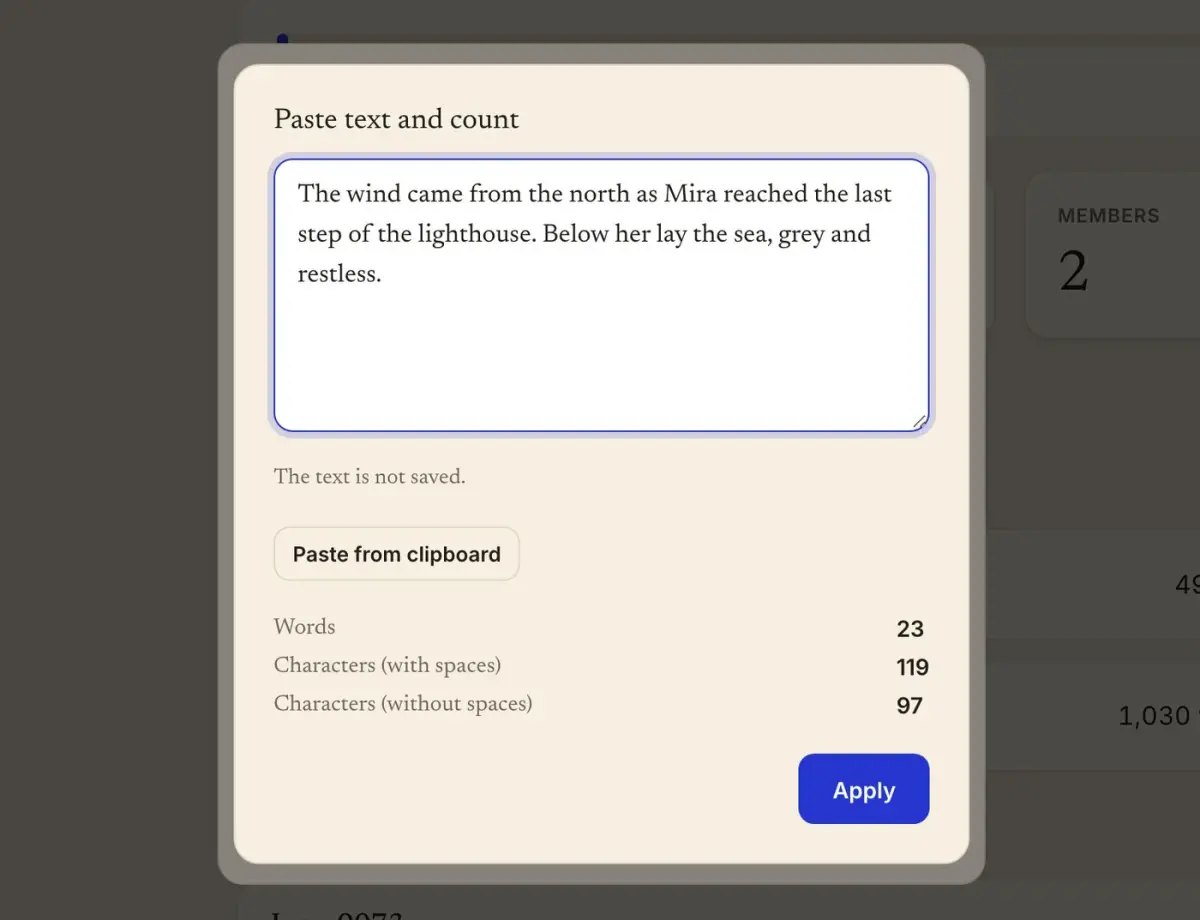
The dialog says “The text is not saved.” The text is counted and discarded, and it does not leave the device.
On iPhone, Mac and Android there is a second route. You select the text in another program, choose Share, and send it to WriteZone, which opens the entry form with the count filled in. Counting is offered for projects in words and characters. A project in pages or percent has nothing to count.
Planning, research and revising as writing time
A recorded writing session now has an activity, which is writing, planning, research or revising. You choose it when you save a sprint or log a session afterwards, and it can be changed later.
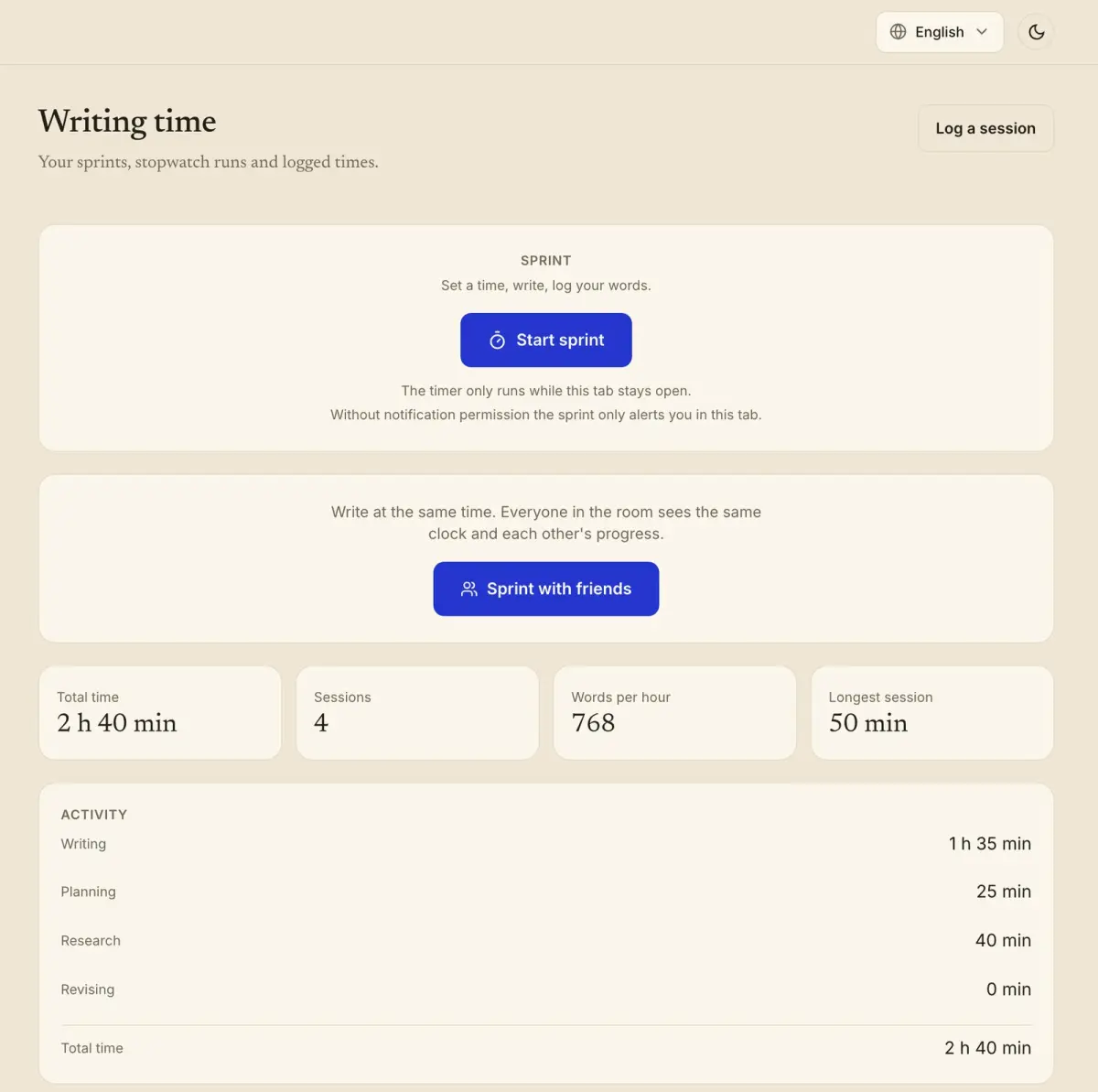
A day with recorded time keeps the streak, even if no new words were written that day. Three weeks spent reading through a manuscript are three weeks of work, and the streak now shows them. When a streak helps and when it does harm is the subject of the post on the writing streak.
Can I change the unit of an existing project?
The counting mode is a field in the form for editing a project. The exception is a project shared with friends, which counts in words and stays that way.
Do pages or chapters count toward my word statistics?
No. Projects in pages, chapters, scenes or percent show their own progress and keep the streak, but they are not counted as words anywhere.
Does WriteZone keep the text I paste for counting?
No. The text is counted and then discarded. It is not saved and does not leave the device.
Does a day of research alone keep my streak?
Yes, if you recorded the time. A day keeps the streak as soon as it has an entry or a recorded session, whatever the activity.