

Shared Projects and Scheduled Sprints in WriteZone
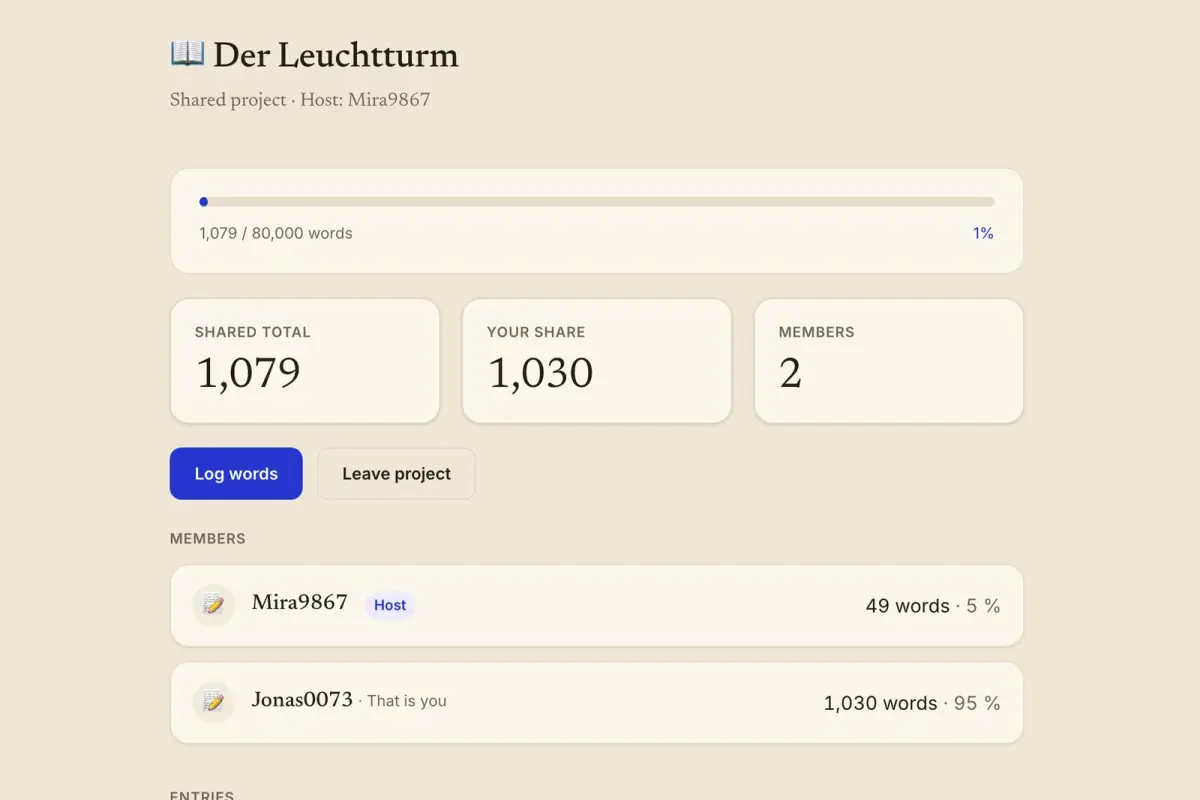
In WriteZone 4.0.0 a project can have up to ten people logging words into it. The owner opens the project, chooses “Share with friends” and switches on the friends who should take part. From then on the project page shows three tiles, “Shared total”, “Your share” and “Members”, and lists each person with a word count and a percentage. The same version adds a switch called “Schedule for a time” to sprints with friends, which starts a sprint at a set date and time up to seven days ahead.
We took the screenshots in this post in a local test setup with two invented accounts, Mira9867 and Jonas0073. The web screenshots show the English interface with German test data such as the project name.
Sharing a project in four steps
Open a project that counts in words and has no sub-projects.
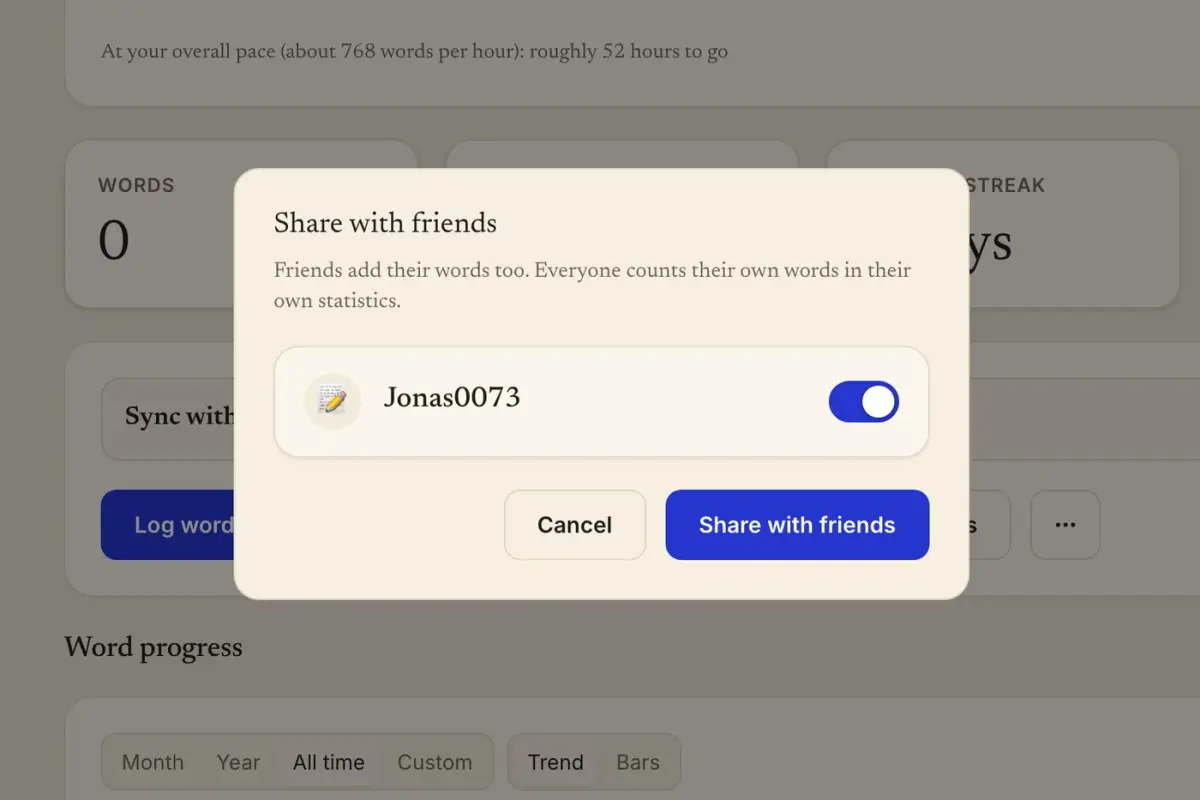
Choose “Share with friends” in the project view.
Switch on the friends you want. The dialog explains the rule in two sentences: “Friends add their words too. Everyone counts their own words in their own statistics.”
Confirm with “Share with friends”.
In our test, Mira9867 shared a project called “Der Leuchtturm” with a goal of 80,000 words and invited Jonas0073. The project stays in words for as long as it is shared, and the form for editing it no longer offers another counting mode. In the apps for iPhone, Mac and Android the sync with WriteZone has to be switched on first, and if it is off, the app shows a button for switching it on in the place where the sharing dialog would be.
What the invited friend sees
Jonas0073 received a notification and found the invitation at the top of the project list, with the two buttons “Accept” and “Decline”. After “Accept”, the project appeared in the list with the line that names the host, “Shared project · Host: Mira9867”.
A member logs words through the same entry form as always. Where the project picker normally sits, the form has a fixed line that reads “Counts toward” and the project name. Jonas0073 logged 650 words that way. Those 650 words went into the shared total of “Der Leuchtturm”, and they also went into Jonas0073’s own statistics, daily goal and streak.
Shared total, share and members
After that entry the project page showed “Shared total 699”, “Your share 650” and “Members 2” for Jonas0073. The member list below gave Mira9867 49 words and 7 percent and Jonas0073 650 words and 93 percent. A contribution under one percent is shown as “< 1 %”.
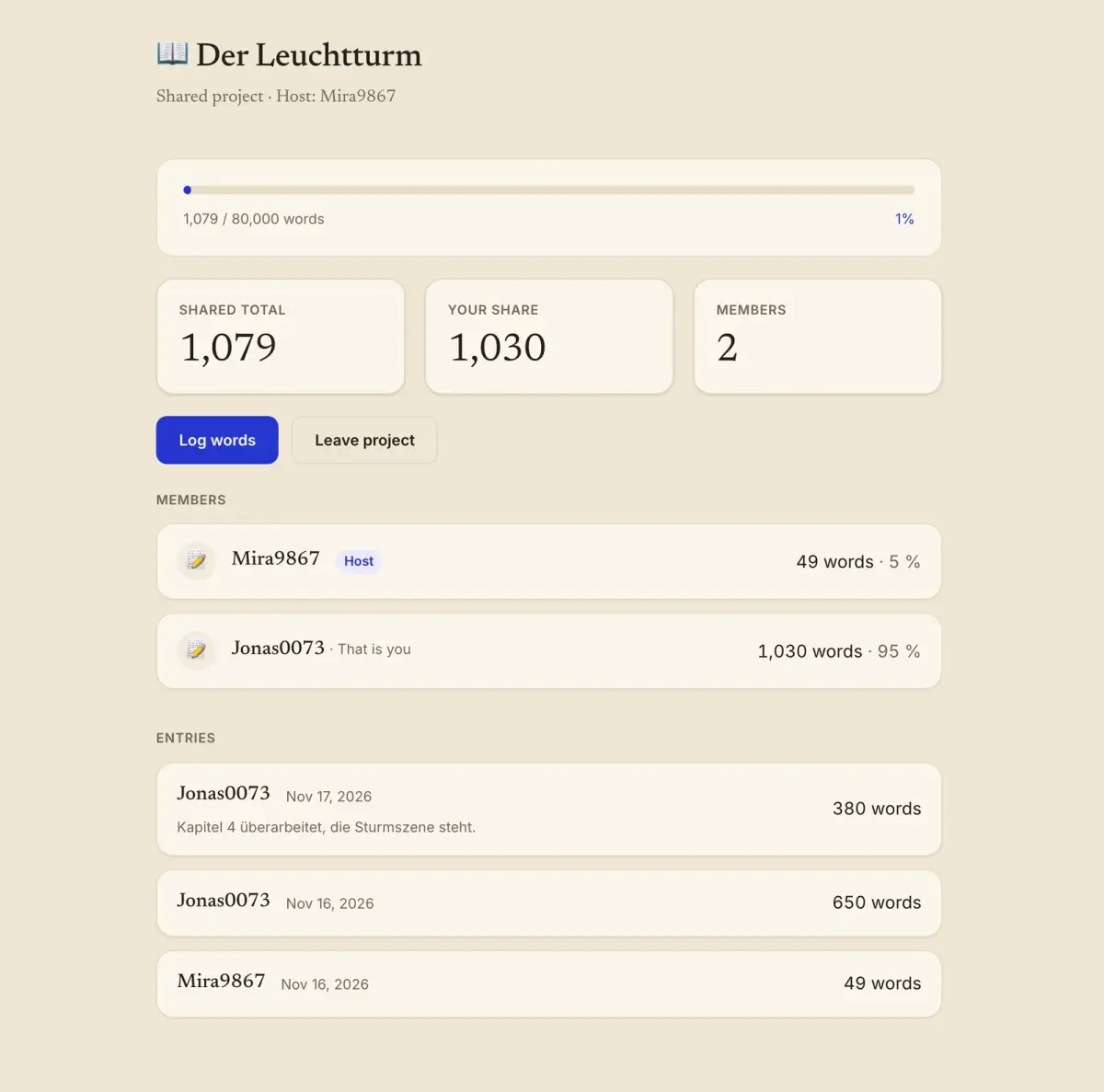
A day later Jonas0073 added 380 words with the note “Kapitel 4 überarbeitet, die Sturmszene steht.” The total rose to 1,079, the share to 1,030, and the split to 5 and 95 percent. The note field carries the sentence “Everyone in the project can read the note.”, and the note appeared under the entry for both accounts. Each entry in the list shows the name, the day and the number of words.
Mira9867, as host, had two more controls on the same page, a button “Invite friends” and a remove button next to each member. Jonas0073 had “Leave project” instead. Entries stay in the shared total after a member leaves. The shared total is stored on the device with every sync, so it can be read without a connection.
What two reviews say about writing in company
Benjamin Harkin, Thomas Webb and six co-authors pooled 138 experiments with 19,951 participants in Psychological Bulletin, volume 142, issue 2, published on 1 February 2016 (Harkin et al. 2016). The studies prompted people to monitor progress toward a goal. According to the abstract, which we read in the White Rose repository of the universities of Leeds, Sheffield and York, effects were larger when the outcomes were reported or made public and when progress was physically recorded.
Matthew McGrail, Claire Rickard and Rebecca Jones reviewed interventions meant to raise publication rates at universities in Higher Education Research & Development, volume 25, issue 1, in February 2006 (McGrail et al. 2006). They found 17 studies published between 1984 and 2004 and sorted them into “writing courses, writing support groups and writing coaches”. The abstract reports that output varied but that all of them “led to an increase in average publication rates for the participants”. Neither review tested an app, and neither measured fiction.
Scheduling a sprint with friends
A sprint with friends runs in a room. The host enters an optional title, a duration between 5 and 120 minutes, and invites single friends or a whole group, up to 50 people. In version 4.0.0 the form has the switch “Schedule for a time” with a date field and a start time, and the app accepts times up to seven days ahead.
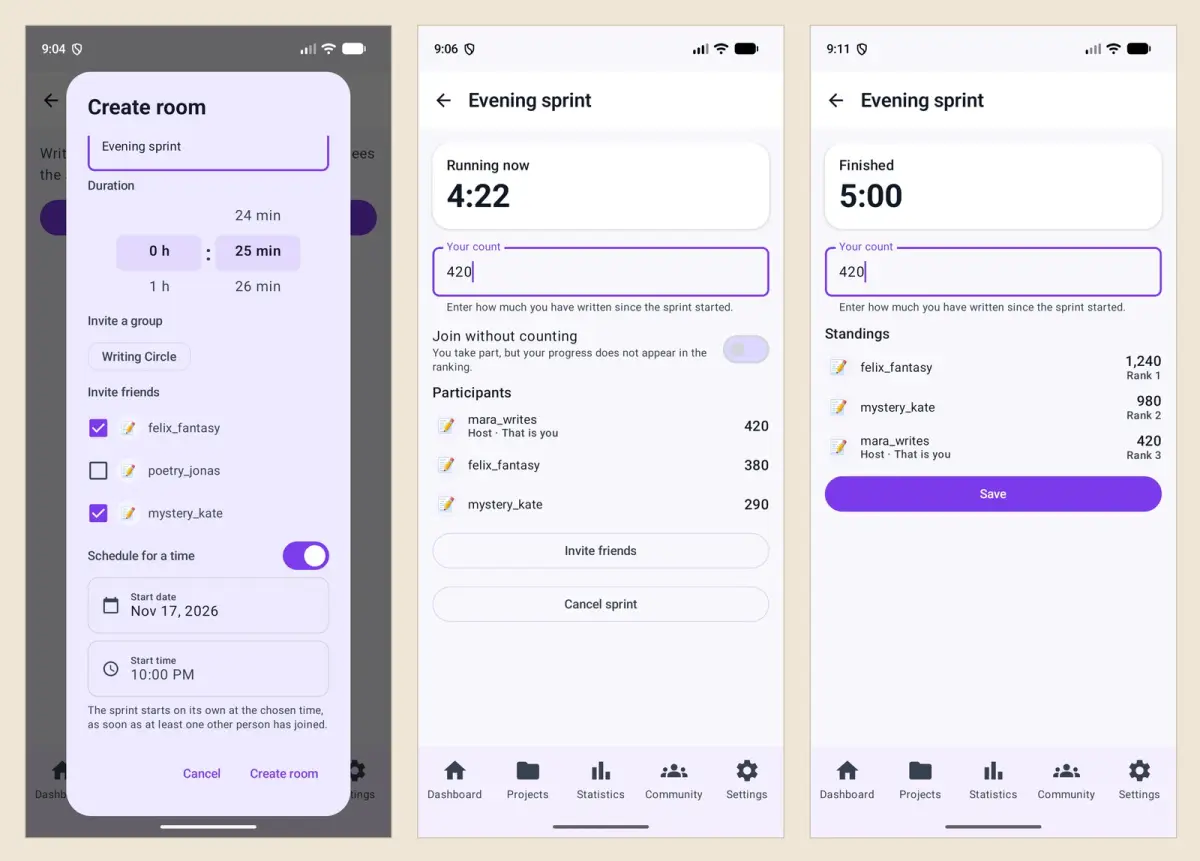
A scheduled sprint starts by itself at the chosen time if at least one person besides the host has joined. If the room is still empty at that time, it starts when the first person joins. A room without a schedule follows the same rule, and until then the button “Start sprint” is locked with the sentence “You can start as soon as at least one other person has joined.” The app sends a notification with the invitation and another at the start, and the host gets one each time somebody joins. Invited friends see the scheduled time converted to their own time zone.
The sprint itself and the ranking
The Android screenshots above come from a five-minute test sprint with three invented accounts. With 4:22 left on the clock the room showed 420 words for the host, mara_writes, 380 for felix_fantasy and 290 for mystery_kate. After 5:00 the same room showed the standings, with felix_fantasy first at 1,240 words, mystery_kate second at 980 and the host third at 420, and a “Save” button.
A switch in the waiting room lets a person take part without counting. That person is listed in the room and sees the clock but gets no rank, which is how someone working in pages, or planning or revising, can join. Saving stores the sprint as writing time and offers the entry, as after any sprint. The room is deleted after 24 hours.
The guide to writing sprints covers sprint length and breaks, and the post on accountability partners covers standing arrangements between two writers.
Can the others read what I write?
No. WriteZone stores numbers, not manuscripts. Members of a shared project see your name, the day, the word count of your entries, and the note if you add one.
Do words in a shared project count for my own streak?
Yes. An entry in a shared project goes into your own statistics, goals and streak and raises the shared total at the same time.
What happens to my entries if I leave a shared project?
They stay in the project’s shared total. The project disappears from your list.
Does a scheduled sprint start if nobody joins?
No. It starts once at least one person besides the host has joined. If that happens after the scheduled time, the sprint starts when they join.