

WriteZone 4.0.0: What the New Version Adds
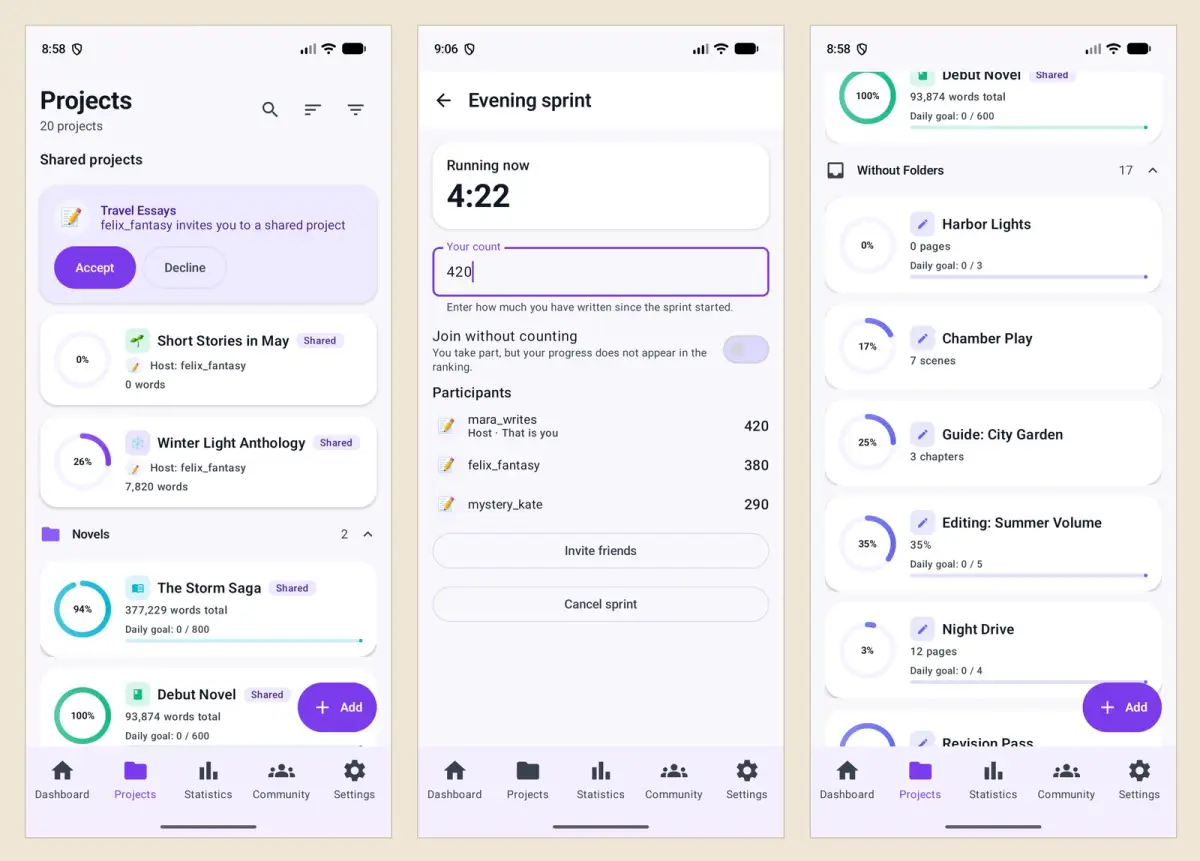
WriteZone 4.0.0 changes three parts of the app. Friends can log words into one shared project and schedule a sprint for a set time. A project can count in pages, chapters, scenes or percent as well as words. The community gets polls, and time goals in competitions are entered in hours and minutes. The version covers the web app, iPhone and iPad, the Mac and Android.
This post is the short tour. Each of the three areas has its own post that walks through the screens, and so does the new add-in for Word.
Writing together
A project can now be shared with up to ten friends. Everyone logs words into the same project, and the project page shows the shared total, your own share, and each member’s contribution in words and percent. That suits an anthology, a novel with two authors, or a writing group working toward one number. A meta-analysis of 138 experiments found that monitoring progress helps more when the progress is reported or made public (Harkin et al. 2016).
Sprints with friends can be scheduled. When you create a room, the switch “Schedule for a time” takes a date and a start time up to seven days ahead. The sprint then starts on its own once at least one other person has joined.
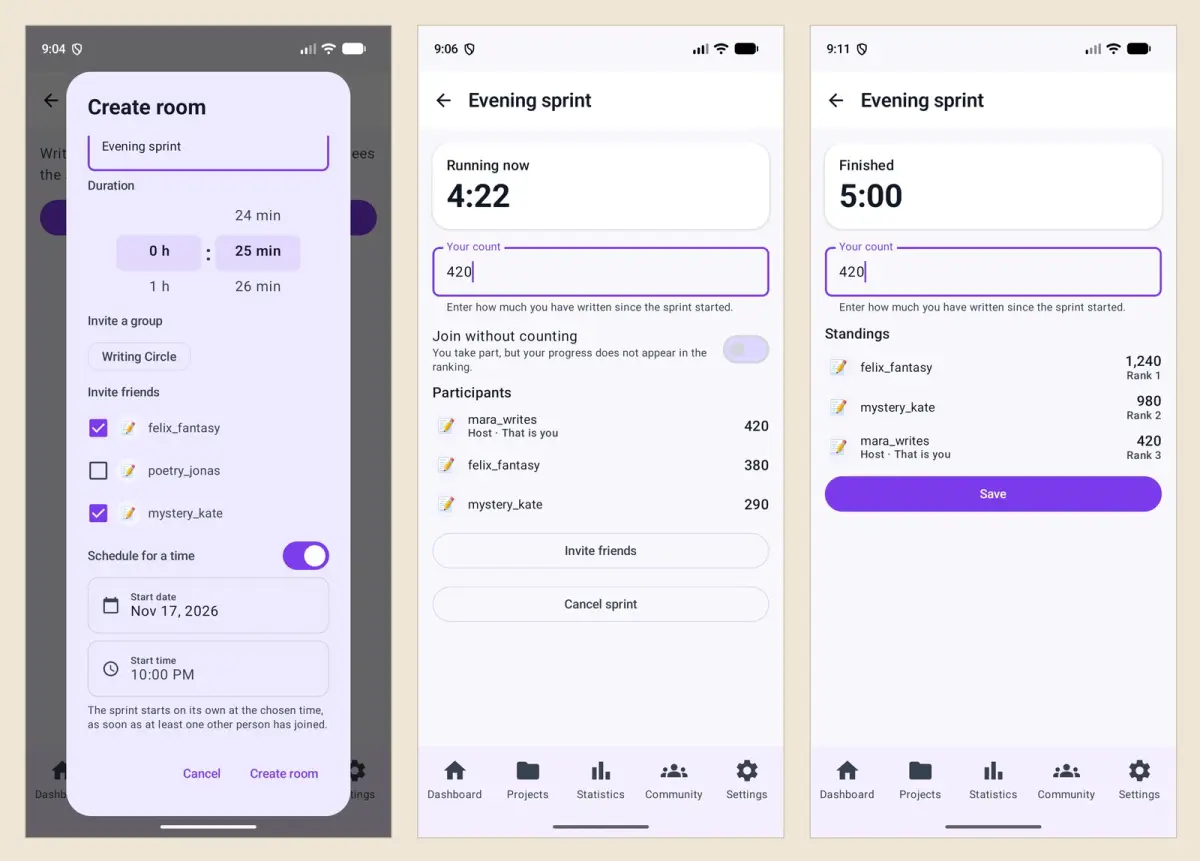
The details are in Shared projects and scheduled sprints.
Counting in the unit that fits the project
When you create a project you choose between words, characters, pages, chapters, scenes and percent. Goals, entries and progress then use that unit. A screenplay can run in pages or scenes, a revision in percent. In an analysis of 2,520 feature screenplays, one page came to about 55 seconds of film on average (Stephen Follows).
Two additions belong here. The button “Paste text and count” in the entry form counts a pasted text and fills in the number. A recorded writing session now carries an activity, which is writing, planning, research or revising.
See Pages, chapters, scenes or percent for the walkthrough.
Community
Polls can be created in the feed and in group chats, with two to twenty answers. In competitions scored by writing time, goals and durations are entered in hours and minutes instead of minutes only. Anyone writing a post can turn off comments and reactions for that one post.
The post on polls and time-based competitions shows each of these.
WriteZone for Word
Version 4.0.0 comes with an add-in for Microsoft Word. It counts the words of the open document and logs the number to a project when you click “Enter”, either as the new total or as an addition. The text stays in Word. The add-in is connected through a personal token created in the settings of the web app.
The setup is described in WriteZone for Word.
Smaller changes
The counting mode sits on the first page of the form when you create a project.
On the web, the setup assistant for the first project asks for the counting mode.
Numbers are shown with thousands separators throughout.
Texts with quantities have a proper singular in every language, such as “1 day”.